4x Xtra PC
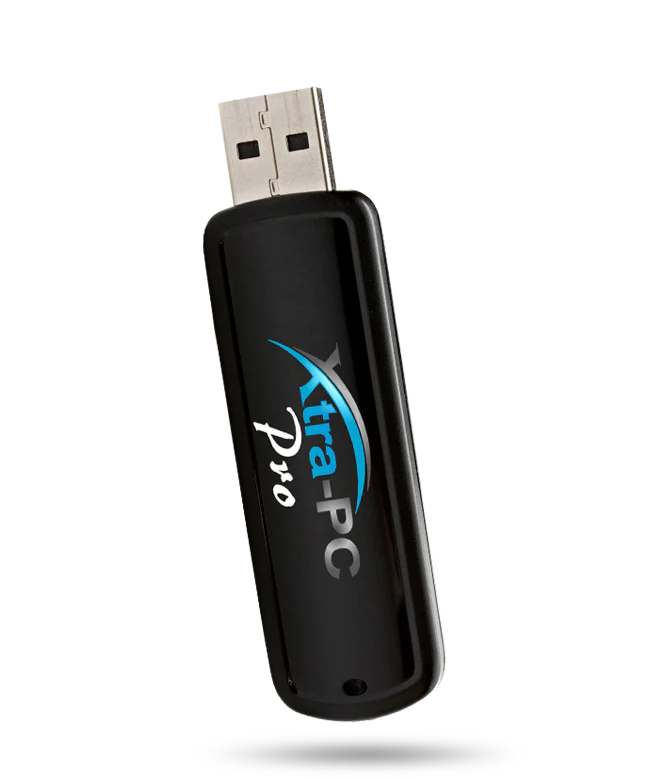
Tired of your old computer running slow, freezing, or barely working? Don’t toss it—revive it in seconds with XtraPC, the plug-and-play USB stick that instantly transforms any old laptop or desktop into a fast, responsive machine again. Whether your system is laggy, outdated, or won’t even start properly, XtraPC gives it a second life—without expensive repairs or upgrades.
How It Works
Just plug XtraPC into any USB port, restart the computer, and boot from the USB (we’ll show you how—it’s super simple). XtraPC runs on a lightweight, high-speed operating system built to bypass the clunky, outdated software that’s slowing everything down. You’ll be able to:
💻 Browse the web at lightning speed
📝 Write documents, send emails, and manage files
🎥 Stream videos & YouTube without lag
📁 Access and recover files from your old system
✔ No installation needed
✔ Works even if your hard drive is dead
✔ Safe, secure, and private—doesn’t affect your old data
Bring ANY Computer Back to Life
✅ Works with Windows PCs, Macs, and even super old laptops
✅ Perfect for school, work, browsing, or backups
✅ Great for tech beginners—no skills required
Why Choose XtraPC?
✔ Affordable – Save hundreds by avoiding costly new computers
✔ Plug & Play – No tools, no installations, no tech skills needed
✔ Fast & Lightweight – Built for speed, even on older hardware
✔ Portable – Use it on multiple computers with one stick
✔ Safe & Secure – Your existing files stay untouched
What Can You Do with XtraPC?
🔹 Surf the internet with blazing speed
🔹 Watch videos & listen to music
🔹 Use office tools for work or school
🔹 Edit documents, spreadsheets, and presentations
🔹 Save and retrieve old files from a broken system
Perfect For:
🧓 Seniors with older laptops
🎓 Students needing a backup computer
💼 Remote workers or business users
💾 Anyone with an old PC collecting dust
How to Use:
1️⃣ Plug XtraPC into any USB port
2️⃣ Restart your computer and boot from USB (we guide you step-by-step)
3️⃣ Enjoy a fast, clean, easy-to-use system in minutes!
Don’t Buy a New Computer—Bring Yours Back to Life!
Whether your computer is 10 years old or just painfully slow, XtraPC gives it a second chance—fast, easy, and affordable.
🛒 Plug it in, power it up, and enjoy a like-new computer today with XtraPC!
Description
Tired of your old computer running slow, freezing, or barely working? Don’t toss it—revive it in seconds with XtraPC, the plug-and-play USB stick that instantly transforms any old laptop or desktop into a fast, responsive machine again. Whether your system is laggy, outdated, or won’t even start properly, XtraPC gives it a second life—without expensive repairs or upgrades.
How It Works
Just plug XtraPC into any USB port, restart the computer, and boot from the USB (we’ll show you how—it’s super simple). XtraPC runs on a lightweight, high-speed operating system built to bypass the clunky, outdated software that’s slowing everything down. You’ll be able to:
💻 Browse the web at lightning speed
📝 Write documents, send emails, and manage files
🎥 Stream videos & YouTube without lag
📁 Access and recover files from your old system
✔ No installation needed
✔ Works even if your hard drive is dead
✔ Safe, secure, and private—doesn’t affect your old data
Bring ANY Computer Back to Life
✅ Works with Windows PCs, Macs, and even super old laptops
✅ Perfect for school, work, browsing, or backups
✅ Great for tech beginners—no skills required
Why Choose XtraPC?
✔ Affordable – Save hundreds by avoiding costly new computers
✔ Plug & Play – No tools, no installations, no tech skills needed
✔ Fast & Lightweight – Built for speed, even on older hardware
✔ Portable – Use it on multiple computers with one stick
✔ Safe & Secure – Your existing files stay untouched
What Can You Do with XtraPC?
🔹 Surf the internet with blazing speed
🔹 Watch videos & listen to music
🔹 Use office tools for work or school
🔹 Edit documents, spreadsheets, and presentations
🔹 Save and retrieve old files from a broken system
Perfect For:
🧓 Seniors with older laptops
🎓 Students needing a backup computer
💼 Remote workers or business users
💾 Anyone with an old PC collecting dust
How to Use:
1️⃣ Plug XtraPC into any USB port
2️⃣ Restart your computer and boot from USB (we guide you step-by-step)
3️⃣ Enjoy a fast, clean, easy-to-use system in minutes!
Don’t Buy a New Computer—Bring Yours Back to Life!
Whether your computer is 10 years old or just painfully slow, XtraPC gives it a second chance—fast, easy, and affordable.
🛒 Plug it in, power it up, and enjoy a like-new computer today with XtraPC!